
Introduction
Today, we continue our series on the challenges of building RAG systems in the enterprise!
As discussed last time, a given company can use a very diverse set of sources. Microsoft SharePoint, Google Docs, Jira, Slack, and others are just a start. This means a lot of connector development work. It also brings a diverse set of data schemas and shapes. Coalescing all this data into a uniform system is an integral part of enterprise search platforms.
If you're a developer and new to the search world, it will be tempting to reach for the dynamic mapping capabilities of ElasticSearch or OpenSearch to index raw JSON quickly. While this “Schema-on-Read” flexibility is ideal for rapid prototyping, production-grade enterprise search requires the discipline of explicit mapping and strict schemas found in engines like Solr or Vespa. As seasoned relevance engineers know: if you don’t control your schema at the point of ingestion, you can’t control your precision at the point of retrieval.
While modern tools allow flexibility, enterprise RAG requires discipline. Over time, you’ll begin to see why enterprise search platforms like SOLR and Vespa rely on pre-defined, static schema. As data scientists and relevance engineers are fond of saying: it's all about the data!
In the following sections, we'll cover some approaches that help ensure effective search across many sources while enabling high-quality relevance across all use cases.
What this Post covers
- Why explicit schemas beat dynamic mapping once you're past prototyping
- The three-class schema pattern (Documents, Tickets, MessageBundles) and what each looks like in practice
- Why text-length normalization is non-negotiable for both lexical and semantic retrieval
- How to map source-specific metadata into a shared field set without losing source fidelity
Uniform Schema Across Sources: The Foundation of Enterprise Search
Spend time with your data. It's a lesson dispensed and learned over and over again. When you spend enough time with enterprise sources and APIs, you begin to see interesting patterns appear. These patterns can drive a standard schema in enterprise search systems.
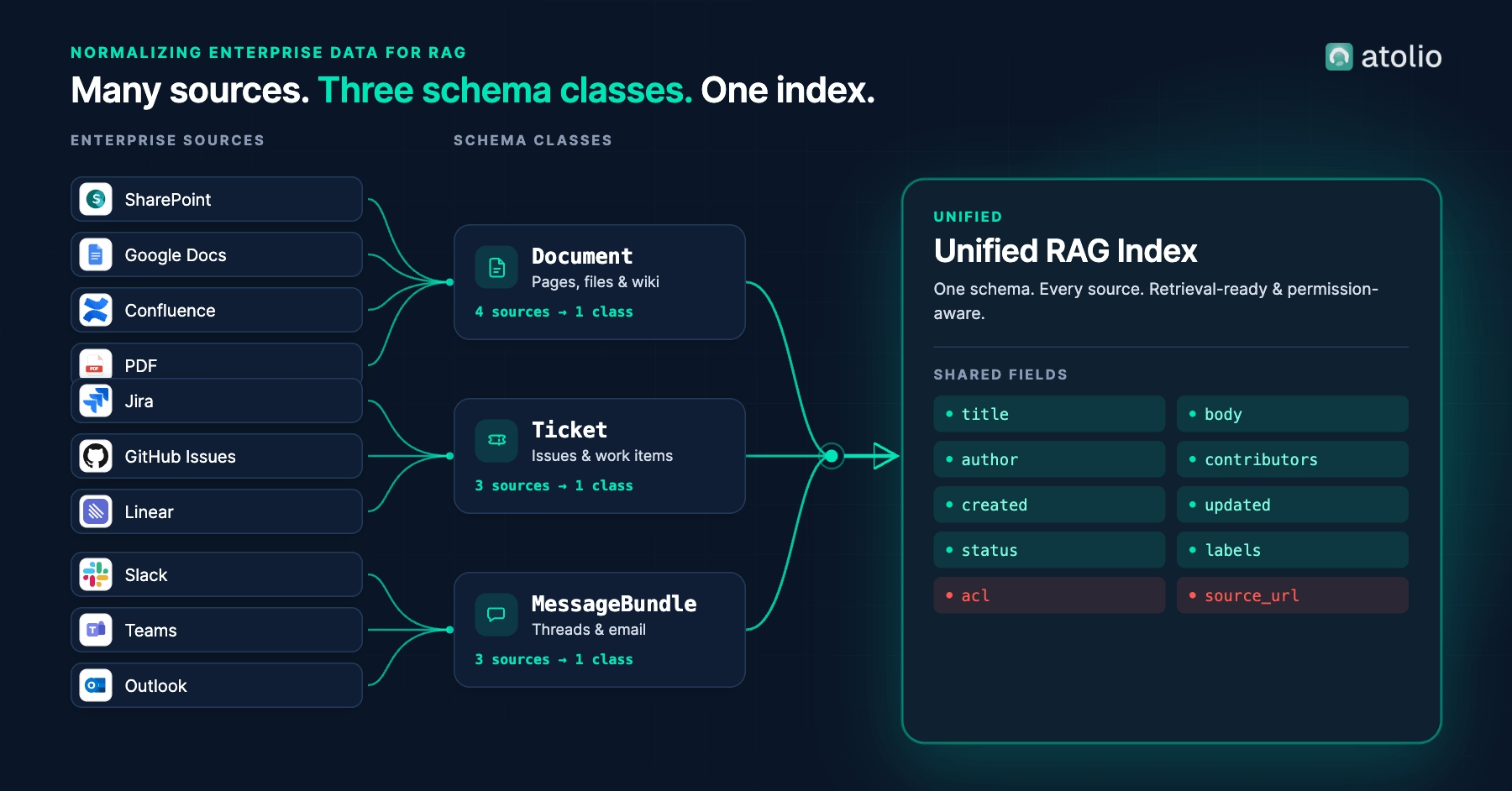
As you bring new sources on board, you don't want to treat them each as unique and special. Instead, you can begin grouping them into classes. Some of our preferred classes include documents, tickets, and message bundles. Examples of document patterns include Microsoft Word, Google Docs, Atlassian Confluence, and loose PDFs. Another standard class is the ticketing system, such as Jira, Github Issues, Linear, and more. Messaging systems include Slack, Microsoft Teams, and so on.
These aren't the only classes you can find, but they are a good start and illustrate the goal. There's no perfect search schema, but you can eliminate many downstream problems by grouping your sources by class and driving them toward a standard schema like this. As the classes emerge, you'll start to see common fields such as title, author, date, people involved, and free text. We'll discuss the importance of common, consistent fields in the following sections.
Normalized Text for Relevance Foundations
As we noted in the last section, a standard schema will yield common fields, such as title, subtitle, body text, and so on. It's essential to minimize these core fields and their definitions for search implementation and efficiency. You'll keep your search queries and business logic from getting unwieldy. Even more important, you'll limit the number of variables your ranking algorithms must consider.
Digging deeper, you'll also want to start controlling text length. A two-page Word document versus a single Slack message can present significant hurdles for ranking and relevance. Fundamental lexical search algorithms, such as BM-25, are affected by text length. Newer semantic embeddings also require extensive investigation into techniques such as truncation, concatenation, and input chunking.
The gritty details are beyond the scope of this post, but in ideal scenarios, you begin to see a convergence of the source classes and the standard schema in pursuit of relevance. Your documents, tickets, and threads usually have titles with similar lengths. The ticket notes may be extracted and combined into a single text field for the search engine, more closely resembling documents. Messages may be conceptually bundled so that each source presents similar-sized batches of searchable text.
There's no one-size-fits-all solution for normalizing fields of text, but it's a topic you can't ignore.
Mapping Common Metadata Fields
While text is important, let's not forget structured metadata either.
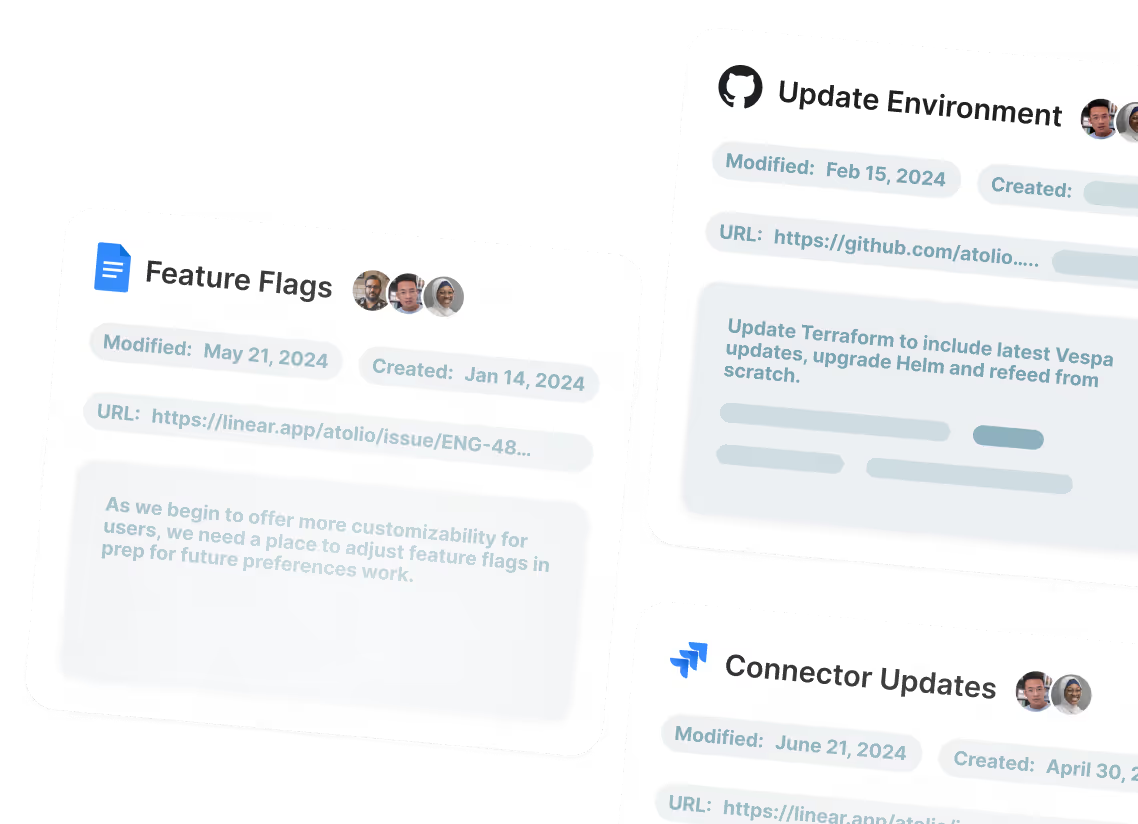
We've found that introducing each new source requires careful review and cataloging of the incoming fields. Every source treats users, dates, status, labels, and other common fields a little differently. It's real work to map all incoming fields to useful fields in your schema. Then, there's always a batch of fields that are truly unique to a source, and it's better if you don't leave them on the cutting room floor.
It sounds important, but what's the value? Fields with names and dates are essential for faceted search and analytics. Tags, status, and assignee fields make filtering and sorting possible. Then, when these are assembled in a unified schema and engine, you can combine such data queries with full-text search. It's what makes the difference between 'find recent pricing docs from Sally' working and not working.
What the Three Classes Look Like in Practice
A unified schema doesn't mean every source uses the same fields. It means every source maps onto the same shape, so the retriever can query across them uniformly. Three classes cover most of what enterprises actually have:
Reading across the rows, a few things stand out. Some fields appear in every class because every searchable thing has them: every document, ticket, and conversation has an author, a creation time, and an access list. Other fields belong to specific classes because they reflect how those sources actually work: status only makes sense for tickets, and most teams don't think of a Confluence page as having one. When a field doesn't apply, leave it absent. The temptation is to populate it with a placeholder so every record looks identical in shape ("status: N/A"). Don't. Absent is information; "N/A" is noise that ranking algorithms have to learn to ignore.
The other thing the table shows is what you're actually doing when you classify a new source. Bringing Linear online for the first time becomes a small, repeatable decision: which class? (Ticket.) What are its native fields, and how do they map? (Linear's state becomes status, team joins labels, and so on.) Source-specific fields that don't fit the shared schema don't have to disappear; they live in an extensions field where they're still queryable, but don't pollute the common one. A six-source corpus and a twenty-source corpus end up structurally identical from the retriever's point of view, even though the underlying ingestion code is doing more.
That last point is where the work pays back. A question like "what did Sally write about pricing in the last 30 days?" only works as a single query if every source contributes a consistent author field and a consistent created field. Without normalization, that query has to be implemented per source, and the more sources you add, the more brittle it gets. With normalization, it's one query across the entire corpus, faceted by date, filtered by author, ranked by relevance. That's the practical difference between a RAG system that demos well and one that earns daily use.
Frequently Asked Questions
1. What's the difference between schema-on-read and schema-on-write for enterprise RAG?
Schema-on-read (the default in ElasticSearch and OpenSearch with dynamic mapping) lets you index raw JSON and figure out the structure later. It's faster to prototype but harder to get consistent relevance from: every source ends up with its own quirky field shapes, and your queries have to know about all of them. Schema-on-write (the explicit-mapping approach used in Solr and Vespa) forces you to decide your schema before ingestion. It's slower to start but pays off in retrieval precision because every document fits the same shape regardless of source. For production enterprise RAG, schema-on-write is almost always the right call.
2. How should you structure a unified schema when sources are as different as Confluence pages and Slack threads?
Group sources into a small number of classes – typically Document, Ticket, and MessageBundle – and define a shared field set that each class maps onto. A Confluence page and a Word doc both become Documents with the same title/body/author/acl shape. A Slack thread becomes a MessageBundle: you synthesize the title from the channel and topic, concatenate messages into the body, and treat participants as contributors. The class system gives you uniformity for retrieval while preserving source-specific behavior where it actually matters (status fields on tickets, threading on messages).
3. Why does normalizing text length matter for RAG retrieval quality?
Because every retrieval algorithm – both lexical scoring like BM25 and semantic embedding similarity – is sensitive to document length. A two-line Slack message and a forty-page PDF aren't directly comparable; the math behind ranking treats them differently in ways that distort relevance. Normalization techniques include chunking long documents into uniform-length passages, bundling short messages into thread-level units, and truncating or summarizing extreme outliers. The goal isn't to make everything the same length, it's to make sure your retriever isn't accidentally favoring or punishing content based on length alone.
Closing
Schema design isn't the part of RAG that gets the demos. It's the part that determines whether the demos hold up when you connect the second source, the fifth, the twentieth. A consistent schema across Documents, Tickets, and MessageBundles unlocks lexical relevance, vector similarity, and metadata filtering all at once, and saves you from rewriting your ranking logic every time a new source goes live.
The schema layer is one piece. The other three pieces – getting data out of diverse sources, respecting permissions at retrieval time, and choosing retrieval and LLM architecture – each get their own deep dive.
If you'd rather not own this layer either, Atolio handles schema normalization across every connected source. Book a demo and we'll walk you through what the schema looks like for your stack.